Posts

How to disable system reboot using “Alt+Ctrl+Del” combination in CentOS/RHEL 7

In CentOS/RHEL operating systems, pressing "Ctrl + Alt + Del" key combination by default initiates a system reboot without any user confirmation. In case if you want to disable this behavior you can run below command: [root@localhost ~]# systemctl mask ctrl-alt-del.target OR [root@localhost ~]# ln -sf /dev/null /etc/systemd/system/ctrl-alt-del.target Now you can try pressing "Ctrl + Alt + Del" key combination and you will see instead of rebooting system it will log below messages to log file " /var/log/messages ": May 18 13:16:07 localhost systemd: Received SIGINT. May 18 13:16:07 localhost systemd: Failed to enqueue ctrl-alt-del.target job: Unit is masked. To enable "Ctrl + Alt + Del" key combination for system reboot: [root@localhost ~]#  systemctl unmask ctrl-alt-del.target
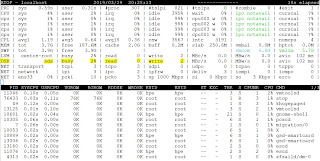
How to monitor disk performance on RHEL or CentOS 7 ?

Image
How to monitor disk performance on RHEL or CentOS 7 ? iotop : Watches I/O usage information output by the Linux kernel (requires 2.6.20 or later) and displays a table of current I/O usage by processes or threads on the system. At least the CONFIG_TASK_DELAY_ACCT, CONFIG_TASK_IO_ACCOUNTING, CONFIG_TASKSTATS and CONFIG_VM_EVENT_COUNTERS options need to be enabled in your Linux kernel build configuration. iotop displays columns for the I/O bandwidth read and written by each process/thread during the sampling period. It also displays the percentage of time the thread/process spent while swapping in and while waiting on I/O. For each process, its I/O priority (class/level) is shown. [root@localhost ~]# iotop Total DISK READ :       0.00 B/s | Total DISK WRITE :       0.00 B/s Actual DISK READ:       0.00 B/s | Actual DISK WRITE:       0.00 B/s    TID  PRIO  USER  ...

How to add more swap space by adding new swap partition in RHEL or CentOS 7 ?

How to add more swap space by adding new swap partition in RHEL or CentOS 7 What is swap? Swap space on a disk is used when the amount of physical RAM is full in the Linux system. When the system runs out of RAM, inactive pages are moved from the RAM to the swap space. Swap space can be either a dedicated swap partition or a swap file. So here we will see how you can add more swap space as a swap file. In this article we will see how we can add more swap space using a new swap partition. Steps : Let's check how much swap is available on the system currently: [root@localhost ~]# swapon --show [root@localhost ~]# free -h I have a new 10GB disk named "/dev/sdb" and i want to use it as a swap space. [root@localhost ~]# fdisk -l Disk /dev/sdb: 10.7 GB, 10737418240 bytes, 20971520 sectors Units = sectors of 1 * 512 = 512 bytes Sector size (logical/physical): 512 bytes / 512 bytes I/O size (minimum/optimal): 512 bytes / 512 bytes Step 1 : Create a...

How to add more swap space as a swapfile on RHEL or CentOS 7 ?

How to add more swap space as a swapfile on RHEL or CentOS 7 What is swap? Swap space on a disk is used when the amount of physical RAM is full in the Linux system. When the system runs out of RAM, inactive pages are moved from the RAM to the swap space. Swap space can be either a dedicated swap partition or a swap file. So here we will see how you can add more swap space as a swap file. In this article we will see how we can add more swap space using a swapfile. Steps : Let's check how much swap is available on the system currently: [root@localhost ~]# swapon --show NAME      TYPE      SIZE USED PRIO /dev/dm-1 partition 3.9G    0B   -2 [root@localhost ~]# free -h               total        used        free      shared  buff/cache   available Mem:           3.7G      ...

Monitoring Memory, CPU and swap on RHEL or CentOS 7

Image
top : The top provides a dynamic real-time view of running processes, CPU, Memory and SWAP utilization on a system. It can display system summary information as well as a list of processes or threads currently being managed by the Linux kernel. [root@localhost ~]# top In case as a root you want to check it for some particular user then : [root@localhost ~]# top -u hpe pmap : This command report memory map of a process or processes. [root@localhost ~]# pmap -d 22745 vmstat : This command reports information about processes, memory, paging, block IO, traps, disks and cpu activity. [root@localhost ~]# vmstat -w [root@localhost ~]# vmstat -as [root@localhost ~]# vmstat -dw [root@localhost ~]# vmstat -D             5 disks             2 partitions         48470 total reads           104 merged reads     ...

Space reclamation / UNMAP on RHEL or CentOS 7

What is Space Reclamation? This feature supports Thin Provisioned environment, and it is the process of freeing space from the storage system that has already been freed from the host file system. A host file system contains metadata to keep track to know which blocks are available to store new data and which blocks contain actual data and must not be overwritten. This metadata is stored within the LUN. When a file is deleted in the host file system, the file system metadata is updated to mark that file's blocks as free space. Total file system free space is then recalculated to include the newly-freed blocks. To the storage system, these metadata updates appear no different than any other writes being performed by the host. Therefore, the storage system is unaware that any deletions have occurred. What is Unmapping? Unmapping is a process which de-allocates relationship between LBA and a physical block in a logical unit. Reclamation within RHEL and CentOS: RHEL / Ce...

What are /dev/random and /dev/urandom files?

/dev/random will block after the entropy pool is exhausted. It will remain blocked until additional data has been collected from the sources of entropy that are available. This can slow down random data generation. Randomness is critical to the security of cryptography in your application – one-time pads, key generation. [root@localhost ~]# dd if=/dev/random of=random.txt bs=2048 count=2048 dd: warning: partial read (82 bytes); suggest iflag=fullblock 0+2048 records in 0+2048 records out 150665 bytes (151 kB) copied, 21.6704 s, 7.0 kB/s /dev/urandom will not block. Instead it will reuse the internal pool to produce more pseudo-random bits. It's best when we have to a large file with random data. Also if you are using "dd" command to wipe data of a disk by replacing it with random data. [root@localhost ~]# dd if=/dev/urandom of=urandom.txt bs=2048 count=2048 2048+0 records in 2048+0 records out 4194304 bytes (4.2 MB) copied, 0.0361976 s, 116 MB/s